You view your product as a machine. It has inputs. It has processes. It creates reliable outputs. It makes sense. It’s engineering.

But then you look at your sales team.
Chaos. Absolute chaos.
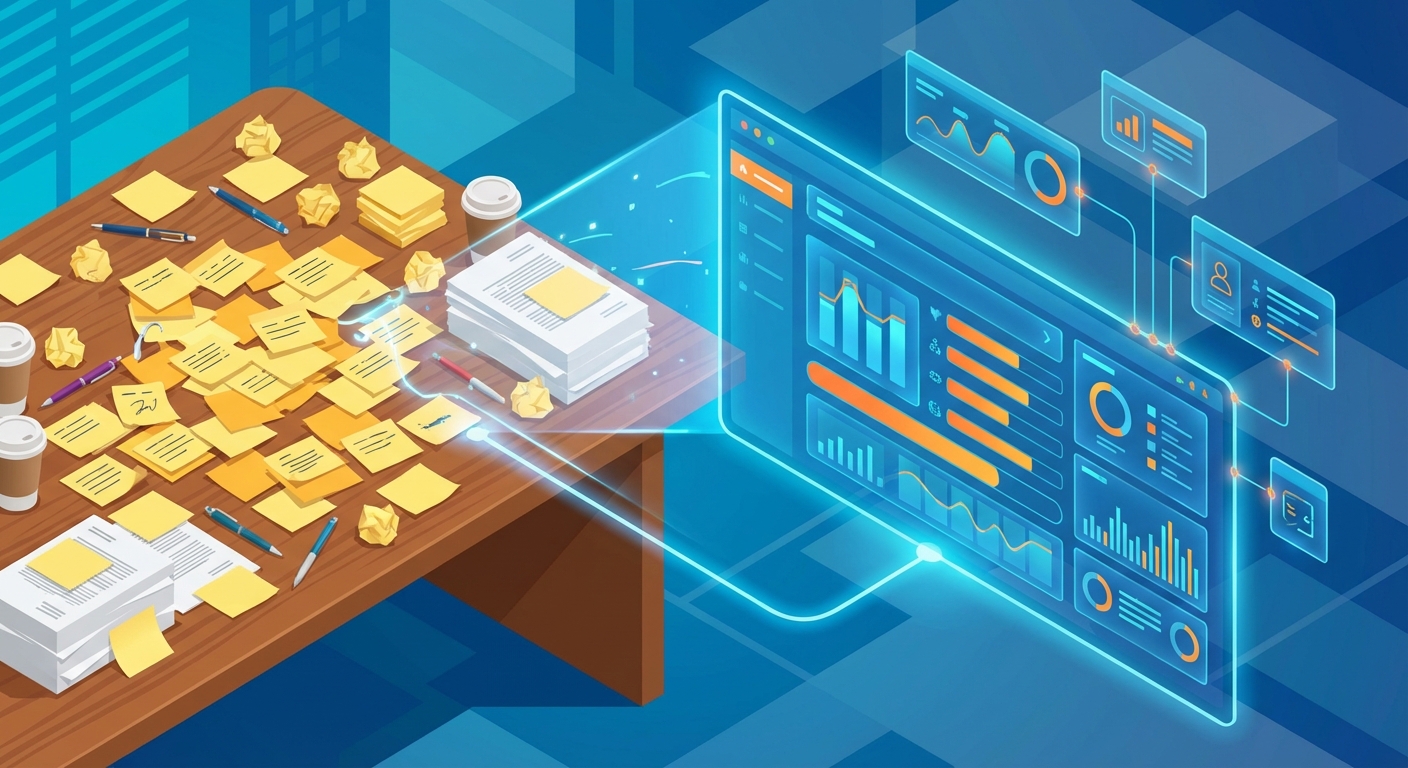
Notes live on yellow Post-its stuck to monitors. Customer data hides in three different spreadsheets (none of which match, by the way). And when you ask the terrifying question—”What is our forecast for next month?”—the answer isn’t a calculation. It’s a guess. A hope. A prayer.
So, you buy software. You decide it’s time for a Customer Relationship Management (CRM) system. Problem solved, right?
Wrong.
Here is the hard truth no software vendor will tell you: A CRM will not fix a broken sales process. It will only speed up the chaos. It makes your bad habits faster.
At Sales Fundas, Jayant Kelkar treats sales as engineering, not magic. You wouldn’t write code without a spec sheet. You shouldn’t implement software without a strategy. Consider this your “spec sheet.” This is your definitive guide to setting up a Sales CRM for the first time. We are going to ignore the “install wizard” for a moment and teach you how to build a scalable revenue engine.
1. CRM Strategy: Map Your Sales Process Before Implementation
Stop. Do not log in. Put the mouse down.
The single biggest mistake companies make when setting up a Sales CRM for the first time is touching the keyboard too soon. If you start adding fields and stages without a plan, you build a Frankenstein’s monster. Nobody will use it. It will die a slow, expensive death.
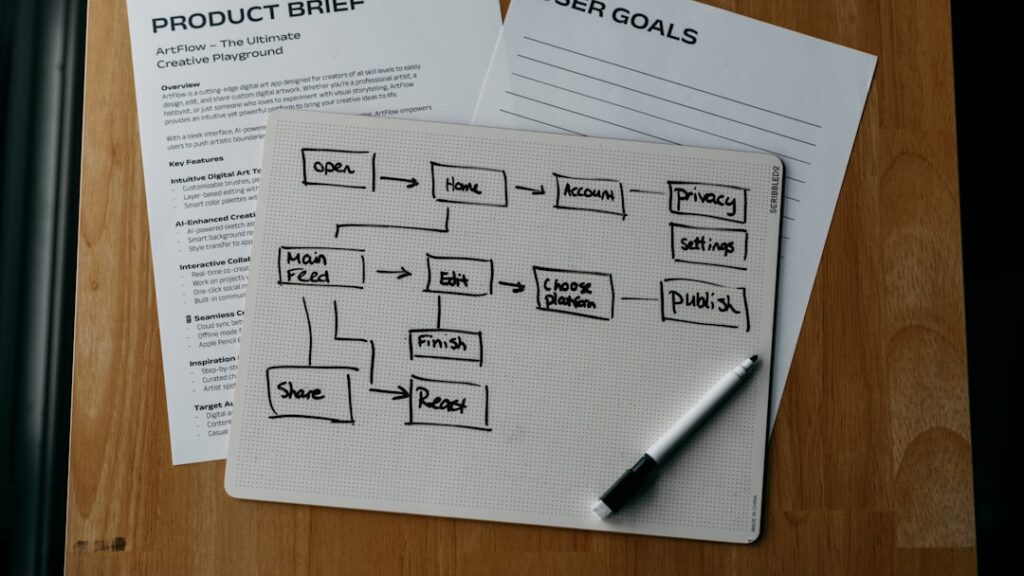
Grab a whiteboard. You need to map your “Physical Process” first.
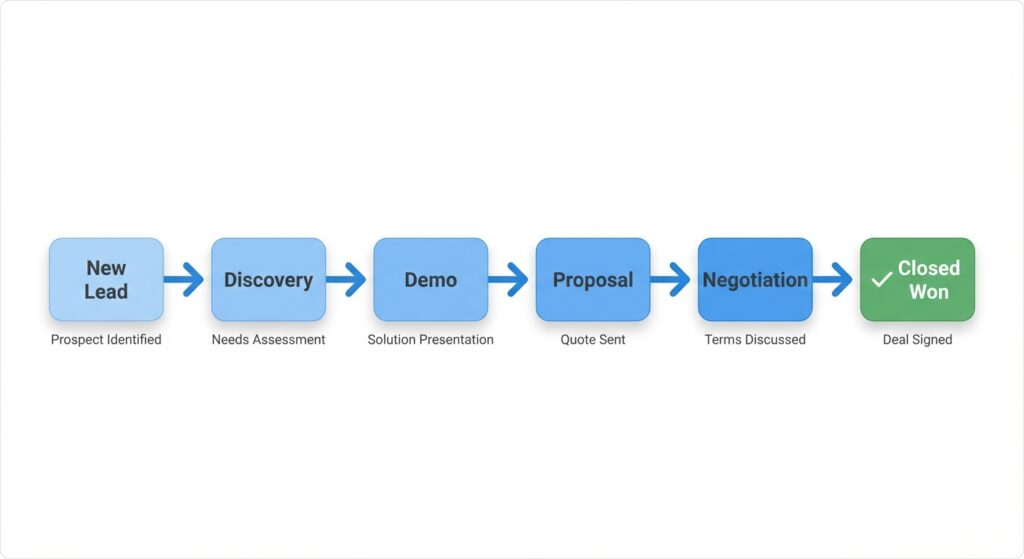
Define Your Deal Stages (The Pipeline)
Your pipeline is the visual map of your factory floor. A common error? Defining stages by sales activity (e.g., “Meeting Held”) rather than buyer behavior (e.g., “Requirements Verified”).
Why does this matter? Because a sales rep can hold a meeting and achieve nothing. But a buyer verifying requirements? That is progress.
Recommended Linear Pipeline for B2B:
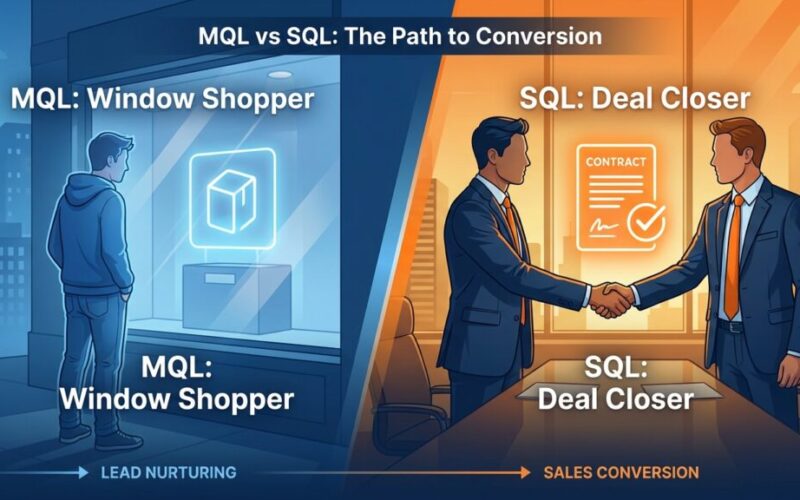
- New Lead: Unqualified raw material. (Need help distinguishing leads? Read about MQL vs SQL here).
- Discovery/Qualification: Does the prospect have a problem we can solve?
- Solution Review/Demo: We have presented the solution.
- Proposal Sent: Commercial terms are on the table.
- Negotiation: Finalizing the contract.
- Closed Won / Closed Lost: The final verdict.
Jayant Kelkar’s Pro Tip: Define “Exit Criteria” for each stage. A deal cannot move from Discovery to Demo until the budget is confirmed. This adds scientific rigor to your forecasting. It stops the guessing game.
Define Your Minimum Viable Data (MVD) for CRM Success
Engineers know the rule: “Garbage in, garbage out.”
Do not clutter your CRM with 50 custom fields. Sales reps are busy. They will ignore them. Stick to the Minimum Viable Data (MVD). What do you absolutely need to know to move the deal forward?
- Contact Info (Email, Phone, LinkedIn URL)
- Lead Source (Did they come from a webinar or a cold call?)
- Industry / Sector
- Estimated Deal Value
- Next Step Date (Vital. Every deal needs a next step).
2. The Data Clean-Up: The Unsexy Prerequisite
If you are moving from spreadsheets to a CRM, your data is likely a disaster.
Importing dirty data is the fastest way to kill user adoption. If a rep searches for “Acme Corp” and finds three different duplicates, they will stop trusting the system. They will go back to their Post-it notes.
3. The 2026 Upgrade: Activating ‘Invisible’ Data Entry
In 2026, setting up a Sales CRM for the first time isn’t just about creating fields; it’s about eliminating manual entry. The ‘Anti-Chaos Blueprint’ relies on the system working for the human, not the other way around. This is where AI-Driven Sales tools and Agentforce-style bots come into play.
When configuring your CRM, prioritize these three automations immediately:
- Email & Calendar Sync: Ensure every interaction is logged automatically without the rep typing a word.
- AI Transcription: Use tools that record discovery calls and automatically populate your ‘Solution Review’ notes into the CRM fields.
- Lead Enrichment: Set up workflows that pull LinkedIn data and company revenue stats the moment an email address is entered.
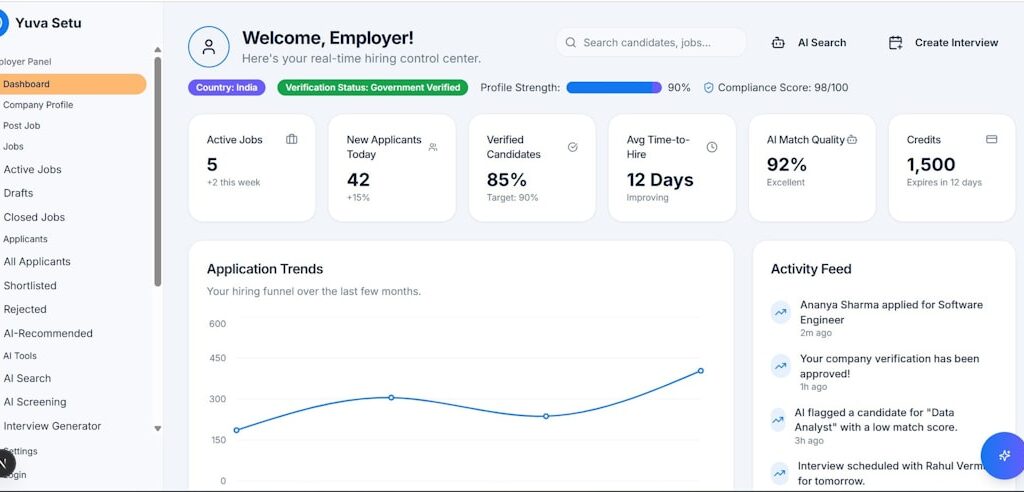
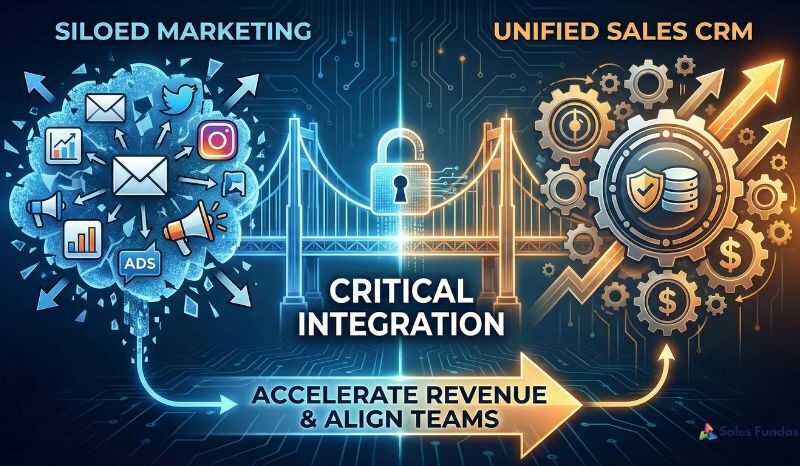
By integrating your marketing tools with Sales CRM from day one, you ensure that the ‘Lead Source’ data is 100% accurate, allowing you to see which campaigns are driving actual revenue, not just clicks. This turns your CRM from a ‘database’ into a ‘revenue intelligence’ hub.
The Migration Checklist
- Consolidate Sources: Bring all your Excel sheets, Google Contacts, and stacks of business cards into one master spreadsheet.
- Standardize Formatting: Fix the phone numbers (+91 vs 0 vs +1). Standardize locations (not “NY,” “New York,” and “N. York”).
- De-duplicate: Use Excel functions or tools to merge rows based on email addresses.
- Purge: Be ruthless. If you haven’t spoken to a lead in 3 years, do not import them. Start fresh.
4. Configuration: Building the Architecture
Now you are ready to log in. Whether you chose HubSpot, Pipedrive, or Zoho (check our guide to CRM tools here), the principles are universal.
Customizing the Object Hierarchy
Most CRMs rely on three main “objects.” Understand these, and you understand the system.
- Leads/Contacts: The people. The humans.
- Companies/Accounts: The organizations they work for.
- Deals/Opportunities: The potential revenue.
Crucial Step: Map your custom fields to the right object. “Industry” belongs to the Company, not the Deal. “Budget” belongs to the Deal, not the Contact. Get this wrong, and your reports will break later.
Setting Permissions
In the beginning, keep it open. As you grow, restrict who can delete data. You don’t want a disgruntled intern wiping your client list.
4. Automation: Crawl, Walk, Run
When setting up a Sales CRM for the first time, the temptation is to automate everything. “I want an email to go out automatically if I move a deal to stage 3!”
Stop. Breathe.
Automation amplifies mistakes. If your process is new, do things manually for the first 30 days. Prove the process works. Then automate it.
The “Crawl” Phase Automations:
- Lead Assignment: If a lead comes from the website, auto-assign it to Rep A. Speed matters.
- Task Creation: If a deal sits in “Proposal” for 5 days, create a task to “Follow Up.”
- Data Enrichment: Auto-populate company location based on the email domain (many modern CRMs do this natively).
6. Integration: Connecting the Ecosystem
Your CRM cannot be an island. It must talk to the tools your team already lives in.
- Email (Gmail/Outlook): This is non-negotiable. Reps should be able to log emails into the CRM without leaving their inbox. If they have to copy-paste, they won’t do it.
- Calendar: Sync meetings so they appear on the contact’s timeline.
- Website Forms: Connect your “Contact Us” form so submissions appear instantly as new leads.
Learn more about why integrating your Marketing tools with Sales CRM is vital here.
7. The Rollout: Solving the “Big Brother” Problem
This is where implementations fail. It isn’t a software failure. It’s a “people failure.”
Sales reps often view CRMs as “Big Brother.” They see it as a tool for management to spy on them, count their calls, and micromanage their day. They don’t see it as a tool to help them sell.
How to get buy-in:
- Sell the Benefit to Them: “This tool will auto-fill contact info so you don’t have to type it.” “This tool will remind you to follow up so you don’t drop the ball on your commission check.”
- The Golden Rule: “If it isn’t in CRM, it didn’t happen.” Make it clear: you cannot pay commissions on deals that aren’t in the system.
- Appoint a Champion: Find the most tech-savvy sales rep. Make them a “Super User.” Let them train their peers. People listen to peers more than bosses.
8. The Maintenance Loop: Continuous Improvement
A CRM is a living organism. It is not a static monument.
Schedule a Monthly Review for the first quarter:
- Are there stages in the pipeline where deals get stuck? (You might need to redefine that stage).
- Are reps using the “Notes” field?
- Is the data clean? Or are we slipping back into chaos?
This is part of the 30-point health check we recommend for any sales process.
Conclusion: It’s About the System, Not the Software
Setting up a Sales CRM for the first time is a milestone. It signals that your business is moving from “hustle mode” to “scale mode.”
Remember this: The software is just a container for your sales strategy. If you put a bad strategy into a good CRM, you just get bad results faster. But if you apply an engineering mindset—mapping the process, standardizing the data, and iterating on the feedback—you will build a revenue engine that is predictable. Scalable. Boring, in the best possible way.
Need help architecting your sales process? Don’t guess. Contact Sales Fundas today. Let Jayant Kelkar help you design a sales system that works as hard as you do.
Frequently Asked Questions (FAQs)
1. What is the best CRM for a small business setting up for the first time?
There is no single “best” tool, but prioritize simplicity. HubSpot and Pipedrive are excellent for ease of use; if you already use Zoho One, Zoho CRM is the logical choice.
2. How long does it take to set up a Sales CRM?
Technically, a few days. Realistically, a full implementation with process mapping, data migration, and team training takes 2 to 4 weeks to stabilize.
3. Should I import all my old contacts?
No. Only import contacts that are active, recent (last 1-2 years), or high potential; cluttering your database with “dead” leads skews your analytics.
4. How much does a CRM cost?
Many offer free tiers for startups. Paid plans for small businesses usually range from $15 to $50 per user/month, while enterprise tools cost significantly more.
5. My team hates using the CRM. What should I do?
Simplify the required fields and ensure the tool offers value to them (like mobile access or email templates). Training is often the missing piece.
6. What is the difference between a Lead and a Deal?
A Lead is an unqualified person who might be interested. A Deal (or Opportunity) is created only after you verify they have a need and budget.
7. Can I set up a CRM by myself, or do I need a consultant?
Small teams (<3 reps) can often DIY it. Larger teams or complex sales cycles should hire a consultant to avoid building structural mistakes that hurt revenue later.
8. What metrics should I track immediately?
Start with Activity Volume (calls/emails), Pipeline Value (total potential revenue), and Conversion Rate (leads to deals).
Step 0: How to Choose Your First CRM (The 2026 Evaluation Framework)
Before you map your process, you must choose a tool that fits your scale. For many founders in India, the mistake isn’t choosing a ‘bad’ CRM, but choosing one that is too complex for a first-time setup. In 2026, your selection should be based on three pillars: Mobile-first accessibility, AI-readiness, and local integration capabilities (like WhatsApp and UPI-linked invoicing).
If you are a lean startup, look for Free CRM Solutions Suitable for Startups in India to minimize initial overhead while you find your ‘process-market fit.’ Avoid the ‘Enterprise Trap’—buying a system that requires a full-time admin before you even have a full-time sales rep.
- Ease of Use: Can a rep log a call in under 3 clicks?
- Integration: Does it talk to your email and LinkedIn?
- Scalability: Can it handle ‘Agentic AI’ workflows as you grow?
Remember, the best CRM is the one your team actually uses. If the interface looks like a cockpit from the 90s, your team will stick to their spreadsheets.

[…] Our guide to setting up a Sales CRM for the first time […]
[…] How to Setup CRM for the first time […]
[…] Guide to Setting Up a Sales CRM for the First Time […]
[…] you are a startup founder still running sales on spreadsheets, you need to read our guide to setting up a Sales CRM immediately. For the rest of you, here is what to […]
[…] You need professional management, CRM architecture, KPI setting, and rigorous training. The team is too small to justify a ₹60L leader, but too […]
[…] Need help setting this up tech-wise? Read our Guide to Setting Up a Sales CRM for the First Time. […]
[…] Tech Stack Implementation: Setting up the CRM so it actually works. (Check out our Guide to Setting Up a Sales CRM for the First Time). […]
[…] conduct training, we do not just teach negotiation. We teach digital discipline. We teach your team how to set up a sales CRM and use it daily. If it is not in the CRM, it did not […]
[…] your pipeline stages, your stages are wrong. B2B sales is complex, but the flow shouldn’t be. Setting up a sales CRM should follow the logic of a conversation, not a computer […]
[…] Fractional CSO isn’t clocking in. They are delivering a Sales CRM setup, a hiring playbook, or a compensation model. You pay for the completed […]
[…] by building a structured process. This means defining exactly what happens after a lead fills out a form. In 2026, the baseline […]
[…] of qualified discovery calls. If you haven’t yet moved away from manual tracking, follow this guide to setting up a sales CRM to stop the […]